
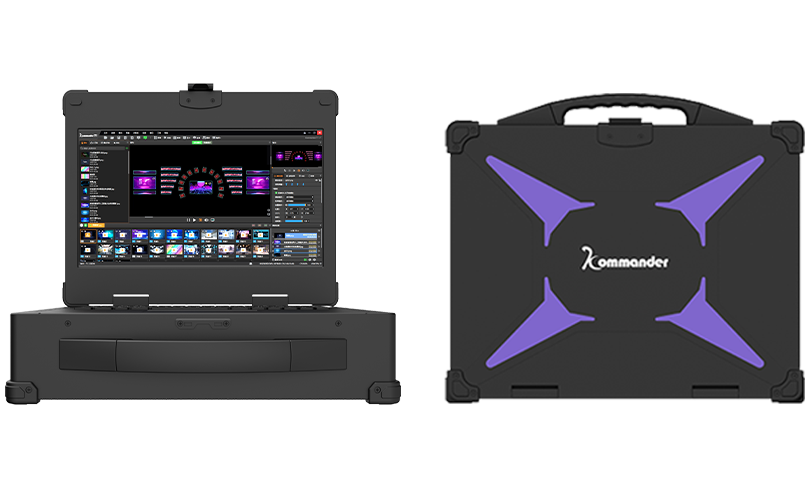
Large video walls often show uneven brightness, tearing, and color shifts when a single feed is split across multiple screens. Practical fixes focus on precise splitter processing and timing, not guesswork. For live venues and corporate lobbies I recommend testing with a dedicated playback media server and integrating robust event control so signal routing and cueing remain predictable. The symptoms are common at trade shows such as CES 2024, where multiple vendors demonstrated that unified frame sync and proper scaling cut visible artifacts by a clear margin.

Symptoms and root causes
Visible seams and flicker point to timing and scaling mismatches. A video wall fed through a basic splitter can suffer from EDID conflicts, unequal scaling, and latency differences between panels. Frame synchronization and consistent scaler settings are required. Matrix switcher handoffs must preserve frame rate and resolution. When those elements drift, you see misaligned pixels and motion judder — problems that sound small but break audience immersion.
Splitter processing techniques that work
Use splitter processing that supports per-output scaling and configurable frame sync. Key controls: pixel-accurate crop, preload buffering, and EDID management. Implement these steps in order: feed the source through a calibrated scaler, assign explicit EDID profiles per output, then enable frame synchronization on the playback hardware. That reduces latency variation and keeps color lookup stable across panels. Keep processing simple; complex chained converters increase jitter and make troubleshooting harder.
Implementation checklist
Follow this checklist during setup. It prevents rework and speeds commissioning.
– Confirm source resolution and set the playback media server output to match native wall resolution.
– Assign consistent EDID to each display; avoid “auto” when possible.
– Enable frame synchronization and validate with a timing generator or test pattern.
– Calibrate per-panel color using a reference patch and lock color LUTs once uniformity is acceptable.
– Test under full show load: run multiple layers, alpha blends, and rapid cuts to reveal worst-case latency.
Operational production teardown
During an operational production teardown you must log timing offsets, dropped frames, and scaler mode per output. Record the exact values — buffer depth in milliseconds, scaler interpolation mode, and EDID preference. Also document any fallback behavior in the matrix switcher. In that technical log include {main_keyword} and {variation_keyword} so system builders see where overrides occurred. This makes root-cause analysis repeatable and avoids guesswork on future deployments.
Common mistakes and alternatives
Teams often rely on passive splitters or daisy-chained converters; that creates EDID collisions and inconsistent scaling. Another mistake is ignoring the playback device’s output timing while tuning each display independently. An alternative is using a single high-performance playback server with native multi-head outputs and onboard scaling — it reduces points of failure. Or use a managed video processor that offers centralized EDID and frame-sync settings. Both reduce on-site calibration time. — Note: field engineers prefer solutions that show measurable timing data in real time.
Three golden rules for selecting tools
1) Measure first: require vendors to provide frame-accurate timing reports and latency figures under load.
2) Prefer centralized control: choose systems with unified EDID management and built-in scaler profiles over piecemeal components.
3) Demand testability: verify support for test patterns, per-output LUTs, and live monitoring APIs for event control integration.

These rules yield predictable results: faster commissioning, fewer on-site fixes, and consistent image fidelity. For teams running multiple venues or touring shows, that predictability is the primary return on investment.
Kystar provides playback and control approaches that align with these rules — practical tools, clear metrics, reduced downtime. —